
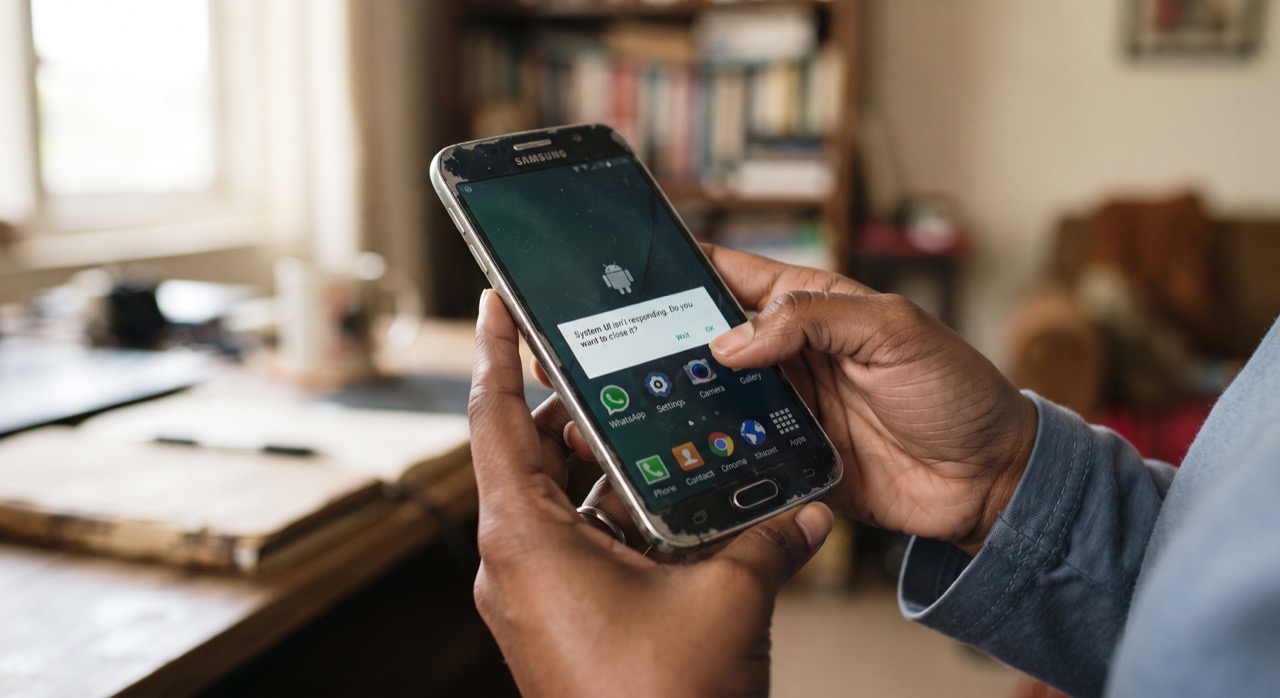
If you have owned the same Android phone for three or four years, you have probably felt it: apps that used to open instantly now take a few seconds, the keyboard lags while typing, and switching between WhatsApp and the camera feels like waiting in a queue at NADRA. Most people assume this means the phone is "old" and needs replacing. In reality, for the vast majority of budget and mid-range Android phones common in Pakistani households, the hardware is still fine — the slowdown is caused by years of software clutter, outdated apps, and storage that is almost full. None of the fixes below cost a single rupee, and most take under an hour.
Update Your System and Apps First
Many users avoid software updates because they worry about mobile data usage or losing familiar menus, but skipping updates is one of the biggest reasons phones slow down. Updates usually include performance and memory-management fixes, not just new features. Connect to Wi-Fi and check Settings > System > System update (the exact wording varies slightly by brand like Samsung, Xiaomi, or Infinix). You can find a general walkthrough on the official Android update guide. Also open the Play Store and update your apps — old app versions are frequently less optimised and more likely to crash or drain battery in the background.
Switch to Lite Versions of Heavy Apps
Apps like Facebook, Messenger, and TikTok are notorious for eating RAM and storage on phones with 2–3GB of memory, which is still common across Pakistan. Most major platforms now offer "Lite" versions built specifically for low-spec devices and slower mobile data:
- Facebook Lite — uses a fraction of the RAM and data of the main app
- Messenger Lite — faster chat loading with far less background activity
- TikTok Lite and similar lite video apps — reduce buffering lag on older chipsets
Uninstall the full-size version after switching, since having both installed defeats the purpose.
Remove Bloatware and Clear Unused Apps
Phones sold by local carriers or certain brands come pre-loaded with apps you never asked for — duplicate browsers, games, "assistant" apps that run constantly in the background. Go to Settings > Apps > See all apps, and for anything you never use, tap Disable (if it cannot be uninstalled) or Uninstall. Also uninstall any app you genuinely have not opened in the last three months — it is very likely still syncing or refreshing quietly in the background.
Free Up Storage and Tame Background Processes
Android performance drops sharply once storage crosses roughly 85–90% full, because the system has no room to manage temporary files properly. Use the built-in Files app or Files by Google to find junk files, duplicate photos, and old WhatsApp media, then back up important photos to cloud storage before deleting local copies.
A phone with 15% free storage and updated apps will almost always outperform the same phone with 2% free storage, regardless of how many GB of RAM it has.
Finally, check which apps are allowed to run in the background: Settings > Apps > [App name] > Battery, and restrict background activity for anything non-essential. If you are comfortable exploring a bit further, enabling Developer Options and reducing the "Window animation scale" and "Transition animation scale" to 0.5x makes the whole phone feel visibly snappier, even though nothing about the hardware has changed.
Roman Urdu
Agar aap ka Android phone 3-4 saal purana ho gaya hai aur ab apps khulne mein time lagta hai, keyboard lag karta hai, ya WhatsApp se camera switch karna mushkil lagta hai — to zaroori nahi ke phone "purana" ho gaya. Aksar masla hardware ka nahi, balke software clutter aur bhari hui storage ka hota hai. Neeche diye gaye tareeqay bilkul free hain aur ek ghante se kam waqt lete hain.
Sabse pehle apna phone aur apps update karein. Log data bachane ke chakkar mein update skip kar dete hain, lekin updates mein performance fixes bhi hoti hain. Wi-Fi par connect ho kar Settings > System > System update check karein, aur Play Store se apps bhi update karein.
Dusra, Facebook, Messenger jaise bhari apps ki jagah Facebook Lite ya Messenger Lite install karein — yeh kam RAM aur data use karte hain, jo Pakistan mein kam-spec phones ke liye perfect hain. Full app ko uninstall kar dein taake dono ek saath na chalein.
Teesra, phone mein pehle se maujood bekar apps (bloatware) ko Settings > Apps mein ja kar disable ya uninstall karein. Jo app 3 mahine se use nahi hui, usay bhi hata dein — woh background mein chupke se battery aur data use kar rahi hoti hai.
Aakhir mein, storage full na hone dein — jab storage 85-90% bhar jaye to Android ki speed khud-ba-khud gir jati hai. Purani photos aur videos ko Files by Google se dhoond kar cloud par backup karein aur phone se delete kar dein. Jin apps ki zaroorat nahi, unki background activity ko Settings > Apps > Battery se restrict kar dein. Yeh choti choti adjustments milkar phone ko dobara naye jaisa feel karati hain — bina ek rupya kharch kiye.





