
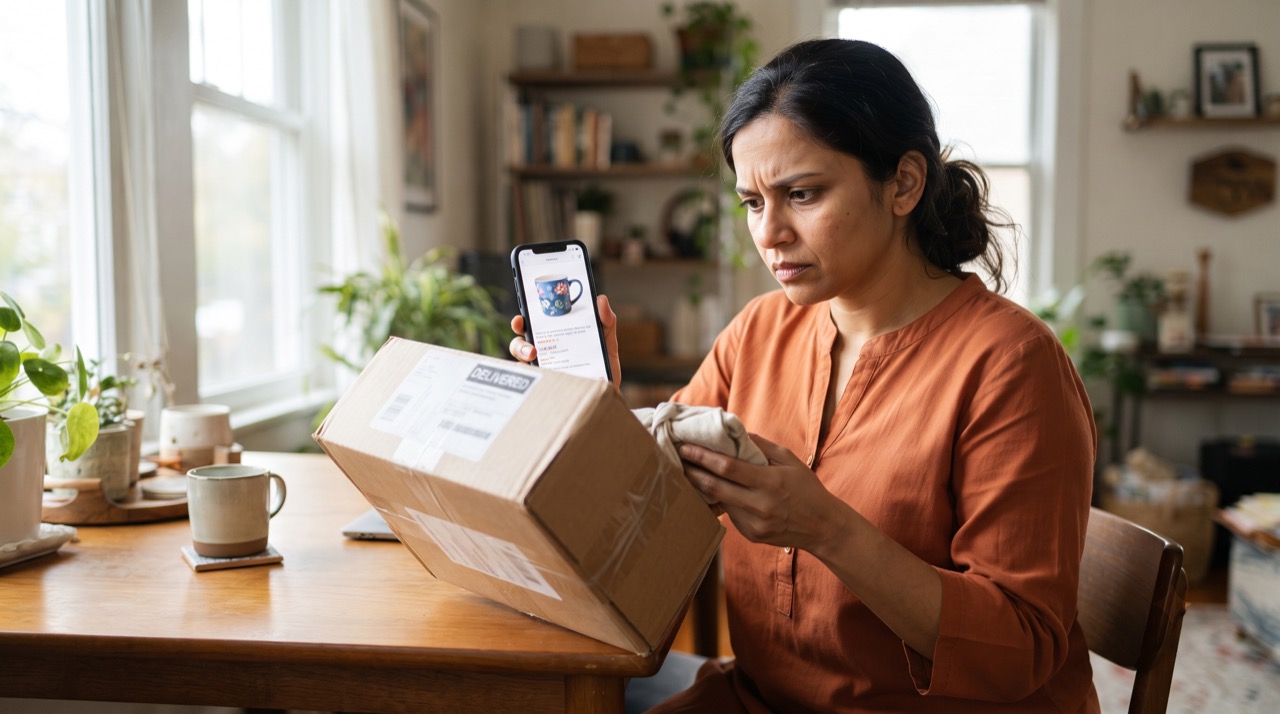
Social media has quietly become Pakistan's biggest shopping mall. From lawn suits in Faisalabad to imported skincare in Karachi, thousands of small sellers now run their entire business out of an Instagram page or a Facebook shop, often with no website, no office, and no way to check who is actually on the other end of the chat. That convenience comes with real risk. Advance-payment fraud — where a buyer sends money via bank transfer, JazzCash, or Easypaisa and the "seller" simply disappears — is one of the most common online scams reported in Pakistan today. The good news is that most of these losses are preventable with a few habits.
Why Fake Sellers Thrive on Social Media
Unlike a proper e-commerce platform, Instagram and Facebook do not verify that a shop page is run by a real, registered business. Anyone can create a page in ten minutes, post stolen product photos, run a boosted ad, and take orders through DMs. Common tricks include:
- Pages that are only a few weeks old but claim to have "thousands of happy customers"
- Product photos lifted from AliExpress, Daraz, or international brand catalogues
- Fake reviews or comments from accounts with no profile picture or history
- Urgency tactics — "stock khatam ho raha hai, abhi advance bhejein" — designed to stop you from thinking twice
- Requests to pay directly into a personal bank or mobile wallet account instead of a business account
How to Verify a Seller Before You Buy
A few minutes of checking can save you thousands of rupees. Before sending any payment:
- Check the page's age and history. Go to "Page Transparency" on Facebook or tap "About" on Instagram to see when the account was created and whether it has changed its name recently — a red flag for recycled scam pages.
- Look for a real address and CNIC-linked contact. Genuine sellers are usually happy to share a shop location or landline number; scammers avoid anything traceable.
- Search the product photos. A reverse image search often reveals the same picture being used by dozens of unrelated "shops."
- Ask specific questions about stock, sizing, or delivery timelines — vague or copy-pasted replies are a warning sign.
- Check independent reviews outside the page itself, such as in local Facebook buy-and-sell groups, rather than trusting comments on the seller's own posts.
Cash-on-Delivery: Your Safety Net
Cash-on-delivery (COD) remains the single most effective protection for buyers in Pakistan, and it should be your default choice whenever a seller offers it. If a page insists on advance payment only and refuses COD "due to high demand," treat that as a serious warning sign rather than a special offer.
A simple rule that saves most people from scams: if a stranger on social media needs your money before you've ever seen the product, that urgency is the scam — not a limited-time deal.
Used wisely, COD still needs a little care:
- Only pay the rider after you open and inspect the package, when the courier allows it
- Photograph the sealed parcel and its shipping label as proof if you ever need to dispute a wrong item
- Avoid sending any "booking advance" for a COD order — a legitimate COD sale needs no deposit at all
- Prefer sellers who ship through named courier services (TCS, Leopards, M&P) over "apna rider" delivery, since courier tracking gives you a paper trail
Red Flags That Should Make You Pause
- Prices dramatically lower than every other seller for the same branded item
- Payment requested to a personal name rather than a business or verified merchant account
- Pressure to move the conversation off Instagram/Facebook and onto WhatsApp immediately
- No return or exchange policy mentioned anywhere on the page
If you do lose money to a scam, save every screenshot of the chat, payment receipt, and page link, and report it to your bank or wallet provider immediately, plus Pakistan's FIA Cyber Crime Wing (NR3C). You can also report the page itself through Meta's official Facebook Help Center so it gets reviewed and, if fraudulent, removed.
Roman Urdu
Aaj kal Pakistan mein zyada tar chotay online sellers Instagram aur Facebook per hi apna business chalatay hain — na koi website, na registered dukaan, sirf ek page aur DMs. Yehi wajah hai ke advance-payment scams itne aam hain: buyer paisay bhej deta hai aur seller ghayab ho jata hai.
Kisi bhi naye page se kharidari se pehle ye cheezain zaroor check karein:
- Page kab bana tha — "Page Transparency" (Facebook) ya "About" (Instagram) mein dekhein, agar page naya hai magar "hazaron customers" ka dawa kar raha hai to shak karein
- Product ki tasveerein Google reverse-image search karein — agar wahi photo dusray pages per bhi mil jaye to samajh jayein ke original seller nahi hai
- Seller se real address ya contact number maangein — asli dukaandar aam tor per deta hai, scammer nahi
- Reviews sirf seller ke apne page per nahi, balke local buy-and-sell groups mein bhi check karein
Sab se ziada moassir tareeqa hai Cash on Delivery (COD) — jab bhi seller COD offer kare, usi ko tarjeeh dein. Agar koi page sirf advance payment mangta hai aur COD se inkaar karta hai, ye bohat bara red flag hai.
Yaad rakhein: agar koi anjaan seller product dikhaye bagair jaldi paisay mangay, to yehi jaldi asal mein scam ki nishani hai, koi khaas offer nahi.
COD lete waqt bhi ehtiyat karein — parcel khol kar check karne ke baad hi rider ko paisay dein, sealed package aur shipping label ki photo rakh lein, aur "booking advance" ke naam per koi bhi paisay na bhejein — asli COD order mein advance ki zaroorat hi nahi hoti. Named courier services (TCS, Leopards, M&P) waalay sellers ko tarjeeh dein kyunke unka tracking record aap ke paas saboot ke tor per hota hai.
Agar phir bhi scam ho jaye to fori tor per apni bank ya wallet company ko inform karein, tamam screenshots mehfooz rakhein, aur FIA Cyber Crime Wing (NR3C) mein shikayat darj karayein. Page ko Meta ke Facebook Help Center ke zariye bhi report kar sakte hain.





