
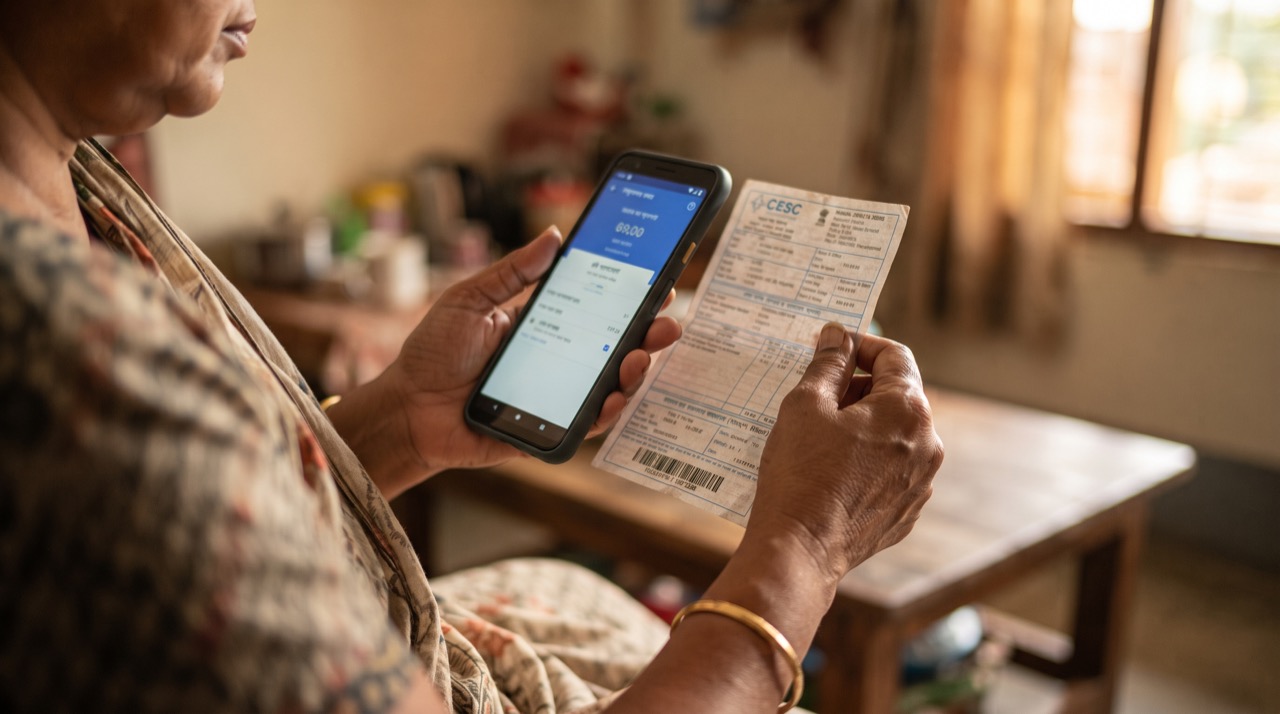
Standing in a long queue at the bank or the utility office to pay your LESCO, SSGC, or water bill is a habit many of us grew up with — but it is no longer necessary. Almost every major bank and mobile wallet in Pakistan now lets you pay electricity, gas, and water bills directly from your phone, in under two minutes, at any hour of the day. Beyond convenience, this shift also means fewer late-payment surcharges, no more lost paper receipts, and a searchable record of every payment you have ever made. This guide walks through how to actually do it well — not just how to tap "pay," but how to do it safely, on time, and with proof you can produce if a dispute ever comes up.
Which Apps Can You Use
You do not need a bank account to pay bills digitally in Pakistan. Mobile wallets and bank apps both support bill payment, and the right choice depends on what you already have:
- Mobile wallets — JazzCash and Easypaisa work with just a SIM and CNIC, no bank account required. Ideal if you are unbanked or prefer a simple app.
- Bank apps — HBL Mobile, UBL Digital, Meezan Bank App, Alfalah Mobile, and similar apps let existing account holders pay bills straight from their savings or current account, usually with no service charge.
- 1LINK-enabled apps — Most banks route bill payments through 1LINK's bill aggregation network, which is why you will often see the same list of billers (LESCO, K-Electric, SSGC, SNGPL, WASA, etc.) no matter which app you open.
Check the State Bank of Pakistan website for the current list of licensed banks and mobile wallet operators if you want to confirm an app is legitimate before entering your CNIC or account details.
How to Pay a Bill Step by Step
- Open your banking app or wallet and find "Bill Payment" or "Utility Bills" — usually on the home screen.
- Select the biller category: electricity (LESCO, K-Electric, MEPCO, PESCO, IESCO, HESCO, etc.), gas (SSGC or SNGPL), or water (WASA or your local water board, where available digitally).
- Enter your 14-digit reference or consumer number exactly as printed on your paper bill — a single wrong digit can send the payment to someone else's account.
- Confirm the amount and due date shown match your physical bill before proceeding.
- Authorize with your PIN, fingerprint, or the one-time code (OTP) sent by SMS.
- Wait for the confirmation screen — do not close the app until you see "Successful" or a transaction ID.
Keep Your Receipts — Every Single Time
This is the step most people skip, and it is the one that matters most when something goes wrong.
- Take a screenshot of the confirmation screen immediately, including the transaction ID, date, time, and amount.
- Save or forward the SMS receipt your bank or wallet sends after every successful payment.
- Most apps have a "Transaction History" or "Statement" section — check that the payment appears there within a few hours.
- Create a simple folder in your phone's gallery or in Google Photos called "Bill Receipts" and drop every screenshot in it, sorted by month.
- If a biller ever claims non-payment, your transaction ID is what the bank support team will ask for first — without it, resolving a dispute can take weeks instead of days.
A bill paid on time is easy to forget; a bill paid without proof is the one that comes back to haunt you. Screenshot first, close the app second.
Avoiding Late Fees and Common Mistakes
- Set a phone reminder two to three days before the due date printed on your bill — most utilities in Pakistan add a surcharge automatically once the date passes, and mobile app payments do not always reflect instantly with the biller.
- Double-check the consumer number every time; do not rely on autofill from an old bill if you have shifted houses or the number has changed.
- Avoid paying from unfamiliar public Wi-Fi networks — use your mobile data or a trusted home connection when entering CNIC or account details.
- Never share the OTP sent to your phone with anyone claiming to be from your bank or a utility company; banks never ask for it over a call.
- If a payment fails but money is deducted, do not panic — most banks reverse failed bill transactions automatically within 24 to 72 hours, but keep the failed-transaction screenshot as proof in case you need to follow up.
Roman Urdu
Bijli, gas, aur pani ke bill ab bank ya utility office ki lambi lines mein khare hoke pay karne ki zaroorat nahi. Pakistan mein tقریباً har bara bank app aur mobile wallet — jaise JazzCash, Easypaisa, ya aapka bank ka apna app — ghar baithe, sirf do minute mein bill pay karne ki sahoolat deta hai. Iska faida sirf waqt bachana nahi, balki late fee se bachna aur har payment ka pukhta record rakhna bhi hai.
Agar aapka bank account nahi hai, JazzCash ya Easypaisa wallet CNIC aur SIM se hi ban jata hai. Jinke paas bank account hai, wo apne bank ki official app se seedha bill pay kar sakte hain — aksar bina kisi extra charge ke. App khol kar "Bill Payment" ya "Utility Bills" section mein jayein, biller select karein (LESCO, K-Electric, SSGC, SNGPL, ya WASA), aur apna 14-digit consumer number bilkul wahi likhein jo paper bill par printed hai — ek digit ki ghalti se paisa kisi aur ke account mein ja sakta hai.
Amount aur due date confirm karne ke baad PIN, fingerprint, ya OTP se payment authorize karein. Jab tak "Successful" ka message ya transaction ID na dikhe, app close na karein.
Sabse zaroori baat: har payment ka screenshot lein aur bank ki SMS receipt save karein. Phone mein ek folder banayein "Bill Receipts" ke naam se aur har mahine ki receipt usmein daalein. Agar kabhi biller yeh kahe ke bill pay nahi hua, to yehi transaction ID aapka sabse bara saboot hoga.
Due date se do-teen din pehle reminder laga lein, kyunke deri hone par surcharge lag jata hai. Kabhi bhi apna OTP kisi ko na batayein — bank ya utility company kabhi call par OTP nahi maangti. Public Wi-Fi par sensitive details enter karne se bachein, aur hamesha apna mobile data ya trusted connection istemal karein.





