
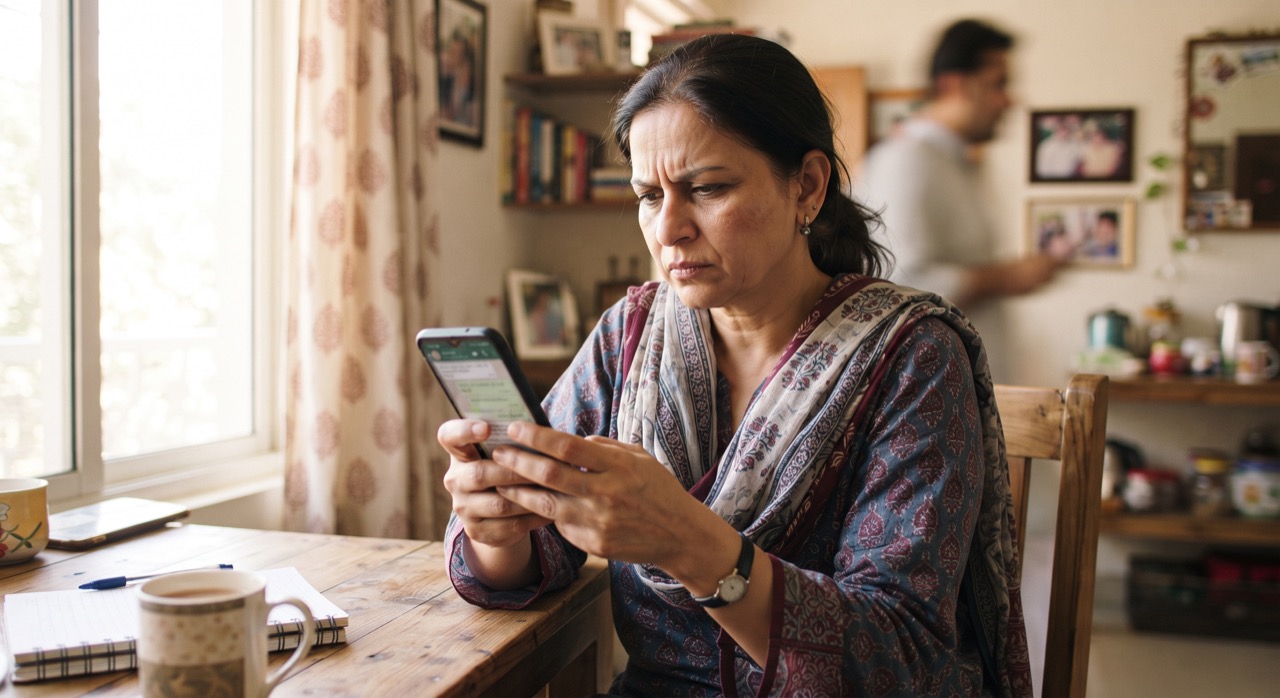
It happens in almost every Pakistani family WhatsApp group: someone forwards a message about a new government policy, a health "warning," or a missing child, and within minutes it has been sent to ten more groups. By the time anyone checks if it's true, the damage is done. Forwarded messages travel faster than facts, and the "forward" button makes it too easy to spread something you never actually verified. The good news is that checking a message takes two or three minutes, and once it becomes a habit, you stop being part of the problem.
Look for the Warning Signs First
Before you even open Google, scan the message itself. Fake or misleading forwards tend to share the same patterns:
- "Forwarded many times" label — WhatsApp itself flags messages that have been forwarded through many chats with a double-arrow icon. This doesn't prove it's false, but it's a signal to slow down.
- Urgent, emotional language — phrases like "share before it's deleted," "government hiding this," or "share to save a life" are designed to bypass your judgment, not inform you.
- No source, or a vague one — "a doctor friend told me" or "according to sources" is not a source. Real news names the organization, the date, and the person quoted.
- Screenshots instead of links — a screenshot of a "news article" can be edited in seconds. If there's no clickable link to the original site, be suspicious.
- Poor grammar or odd formatting — not always, but many recycled hoaxes have been copy-pasted and altered so many times that the wording feels off.
Do a Quick Two-Minute Check
You don't need special training to verify a message. Try these steps in order:
- Search the claim in Google — copy a distinctive sentence from the message and paste it into a search engine. If it's a real event, credible Pakistani outlets like Dawn or Geo News will have covered it too. If only random blogs or other WhatsApp screenshots show up, that's a red flag.
- Reverse-search the image — many fake posts reuse old photos from unrelated events (a different country, a different year, even a different disaster). On your phone, long-press the image or use Google Lens to see where else it has appeared online.
- Check the date — old, real news often gets recirculated as if it just happened. A three-year-old health alert or a policy that was already reversed can resurface and cause fresh panic.
- Check official accounts directly — for anything about government schemes, exams, or emergencies, go straight to the relevant department's official website or verified social media account instead of trusting a forward.
- Use a fact-check tool — AFP Fact Check regularly covers viral claims from South Asia, including Pakistan, and is a reliable place to search a suspicious claim in English or find similar debunked stories.
Before You Hit Forward
Even after checking, a little discipline goes a long way:
- If you can't verify it in a few minutes, don't send it — "better safe than sorry" applies to information too.
- Never forward anything about missing/kidnapped children, organ theft, or poisoned food without a credible source. These specific hoaxes have caused real mob violence in Pakistan and other countries, and they resurface constantly with new city names swapped in.
- If you already forwarded something that turned out to be false, go back and correct it in the same group. It feels awkward for a moment, but it stops the spread and builds trust.
- Gently ask the sender "where did you get this from?" instead of accusing them — most people forward things out of concern, not malice, and a calm question teaches the habit without starting a fight.
A message that makes you want to forward it immediately is exactly the one you should pause and check first.
Family groups exist to share good news, reminders, and jokes — not to become an unpaid distribution network for rumors. A short pause before pressing forward protects your family's trust in what you share, and it protects the people who could be harmed by a false story spreading in your name.
Roman Urdu
Har doosre din family WhatsApp group mein koi na koi message forward hota hai — koi "sarkari policy," koi "health warning," ya koi "bachay gum ho rahe hain" wala paighaam — aur minutes mein woh 10 aur groups mein chala jata hai. Jab tak koi check karta hai, tab tak nuqsan ho chuka hota hai. Forward button itna asaan hai ke hum bina soche share kar dete hain. Lekin sirf 2-3 minute mein aap khud check kar sakte hain, aur yeh ek achi aadat ban sakti hai.
Pehle Warning Signs Dekhein
Message check karne se pehle in cheezon par ghor karein: agar message baar baar forward ho chuka hai (double-arrow icon), agar zyada emotional ya urgent lafzon mein likha hai jaise "delete honay se pehle share karo," agar koi proper source nahi diya (sirf "doctor dost ne bataya"), ya agar sirf screenshot hai bina kisi link ke — yeh sab red flags hain.
Do Minute Ka Check Karein
- Message ki ek line copy karke Google mein search karein — agar khabar sach hai to Dawn ya Geo News jaise reliable channels par bhi mil jayegi.
- Agar tasveer hai to Google Lens se check karein ke woh purani ya kisi aur waqia ki to nahi.
- Date dhyan se dekhein — bohat si purani khabrein dobara circulate hoti hain jaise abhi hui hon.
- Government schemes ya emergencies ke bare mein sirf official website ya verified account par yaqeen karein.
- Suspicious claim ko AFP Fact Check jaisi site par search karein.
Forward Karne Se Pehle
Agar aap 5 minute mein confirm nahi kar sakte to mat bhejein. Bachon ke gum honay ya organ chori jaisi khabrein bina source ke kabhi forward na karein — yeh purani hoaxes hain jo naye shehar ke naam ke sath dobara phailti hain aur haqeeqi nuqsan ka baais ban chuki hain. Agar ghalti se galat message bhej diya hai to usi group mein wapas jakar correct kar dein — thora awkward lagega lekin trust barqarar rahega.
Jo message aapko foran forward karne par majboor kare, wahi sabse pehle rukk kar check karne wala hota hai.
Family group ka maqsad khushiyan aur ehm baatein share karna hai, afwahon ka zariya nahi. Forward karne se pehle chhoti si ruk-thehar aapke parivar ka aitemaad bhi bachati hai aur un logon ko bhi jo jhooti khabar se mutasir ho sakte hain.





